
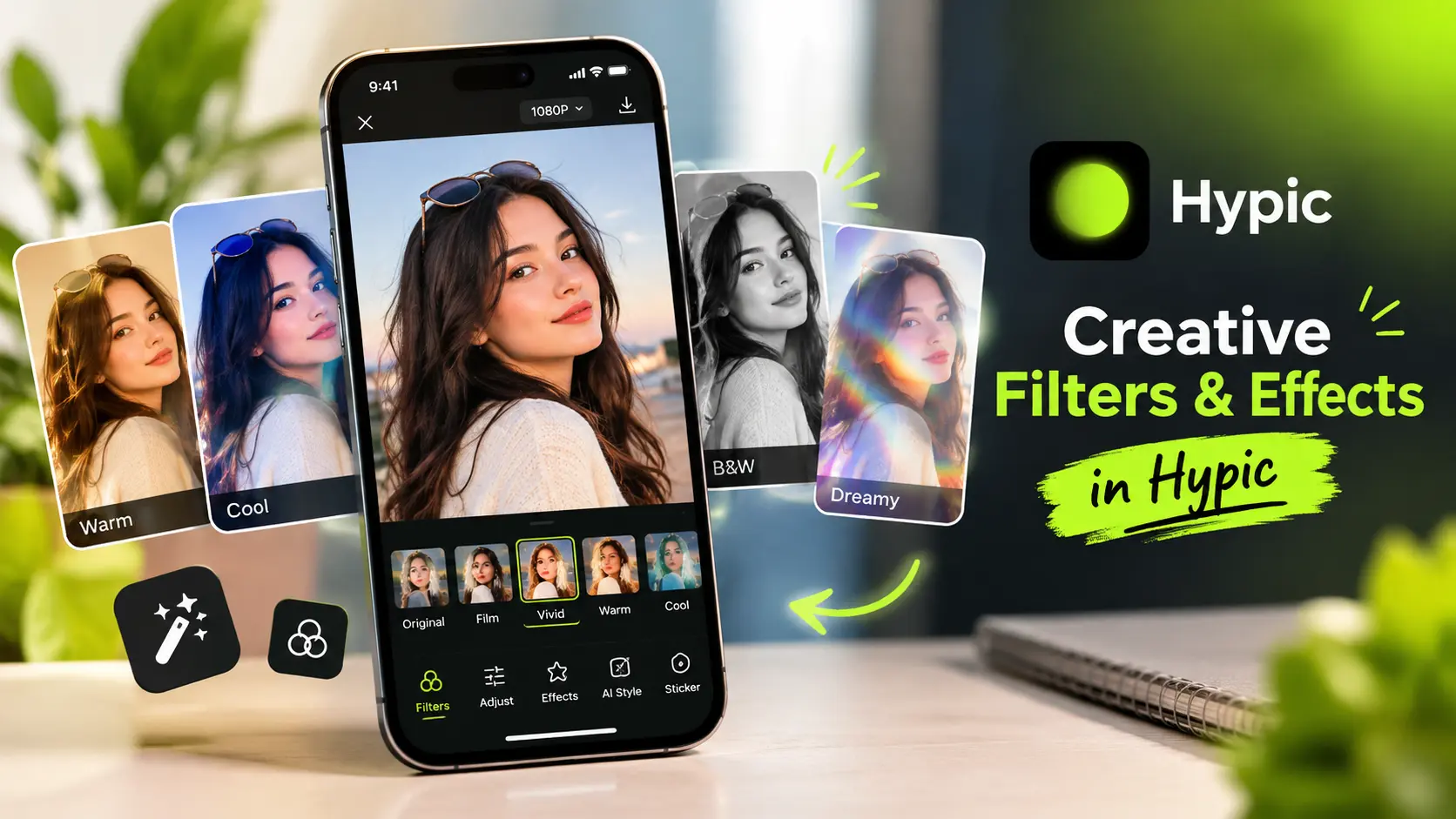
Creative Filters & Effects in Hypic
Hypic makes it easy to give your photos a fresh and creative look with a variety of filters and visual effects. Instead of adjusting every setting manually, you can try different styles, preview the changes, and choose the look that works best for your image.
From subtle photo enhancements to trendy social media styles and artistic edits, Hypic filters and effects give you an easy way to experiment with your photos while keeping the editing process simple.
What Are Creative Filters and Effects?
Creative filters change the overall appearance of a photo by modifying elements such as color, contrast, brightness, mood, and visual style. Effects can add another layer of creativity by giving an image a more noticeable or artistic appearance.
In Hypic, filters and effects can be useful when you want to:
- Give an ordinary photo a different mood
- Create a consistent style for social media
- Experiment with creative photo editing
- Make portraits and everyday photos more eye-catching
- Add a trendy appearance without complicated adjustments
- Create a visual theme across several photos
The right filter does not always have to be dramatic. A subtle change can sometimes make a bigger difference while keeping the original details of the photo intact.
How to Use Creative Filters in Hypic
Using creative filters in Hypic is a simple way to experiment with different photo styles.
If you prefer editing on a larger screen, you can also use Hypic for PC to work on your photos from a desktop environment.
Start by opening the photo you want to edit in Hypic. Explore the available filter and effect options, then preview different styles to see how they change the image.
A simple editing approach is:
- Open your photo in Hypic.
- Explore the available filters or effects.
- Preview several different styles.
- Compare subtle and stronger looks.
- Choose an effect that matches the photo.
- Adjust the intensity when the editing option allows it.
- Compare the final result with the original before saving.
Trying several options is often better than choosing the first filter you see. Different photos can respond very differently to the same style.
Create Different Photo Styles
One of the most useful things about creative filters is that the same photo can look completely different depending on the style you choose.
A softer filter can create a calm and natural appearance, while a stronger effect can make an image feel more dramatic or expressive. Warm-looking styles can also give certain photos a different atmosphere, while more artistic effects can make an ordinary image feel more creative.
For example, a portrait may look better with a subtle filter that keeps natural skin and facial details visible.
If you want to make more detailed portrait adjustments, you can also learn how to retouch portraits in Hypic while keeping the result natural.
A travel photo, on the other hand, may work well with a stronger style that makes the colors and overall mood more noticeable.
You can try several Hypic photo filters before deciding which one fits your image best.
Perfect for Social Media Photos
Creative effects can be especially useful for photos you plan to share on social media. A well-chosen filter can make an image look more polished without requiring complicated editing.
iPhone and iPad users can also explore Hypic for iOS for editing photos directly on their Apple devices.
You can experiment with different Hypic styles for:
- Instagram posts
- Profile pictures
- Travel photos
- Portraits
- Lifestyle content
- Creative projects
If you regularly post photos, using similar filter styles can also help create a more consistent visual appearance across your content.
The key is not to use the strongest effect every time. Choose a style that complements the original photo instead of hiding its natural details.
Try Artistic and Trendy Looks
If you enjoy experimenting with different photography styles, Hypic gives you room to explore both subtle and more noticeable photo effects.
Trendy effects can work well when you want your photos to feel modern and suitable for social media. Artistic styles can be useful when you want an image to have a more distinctive or creative appearance.
You can also try different styles depending on the type of image you are editing. A portrait, landscape, food photo, and street photo may each benefit from a different approach.
Rather than looking for one filter that works for every photo, experiment until you find a style that matches the subject and mood.
Which Hypic Filter Should You Choose?
The best filter depends on the photo and the result you want. There is no single style that works perfectly for every image.
| Photo Type | Style to Consider |
|---|---|
| Portraits | Soft or subtle styles |
| Travel photos | Bright or warm-looking styles |
| Lifestyle photos | Natural or trendy effects |
| Creative projects | Stronger artistic effects |
| Social media photos | A style that matches your overall feed |
This is only a starting point. The original lighting, colors, and subject of your photo should always influence your final choice.
Keep Your Edits Natural
Using a filter does not always mean making an image look heavily edited. Sometimes a small change in color, contrast, or overall mood is enough to improve the photo.
For a more natural result, start with a subtle effect and compare it with the original image. If the photo still looks realistic while having a stronger mood or cleaner appearance, you may have found the right balance.
This is especially important for portraits. Strong effects can sometimes distract from natural facial details, while a lighter edit can improve the overall appearance without making the photo look artificial.
Creative Filters for Personal Projects
Filters and effects are not only useful for social media. They can also be helpful when creating personal photo collections, mood boards, digital artwork, or other creative projects.
Using a similar style across multiple photos can help create a visual theme. For example, you might use related styles for a collection of travel photos or a group of images from the same event.
Because different Hypic effects can change the mood of an image, experimenting with several options can help you develop a visual style that feels personal.
Final Thoughts
Hypic’s creative filters and effects provide a simple way to experiment with different photo styles without making the editing process complicated. Whether you want a trendy social media look, an artistic effect, or a subtle improvement to an everyday photo, there are different styles you can try.
If you are looking for older versions of Hypic, you can also explore previous app releases and compare the available options.
The best approach is to experiment rather than immediately choosing the strongest effect. Start with a style that fits your photo, adjust the intensity when possible, and compare the result with the original before saving.
A good filter should enhance the photo—not take attention away from it.